


infuscomus
-
Posts
139 -
Joined
-
Last visited
-
Days Won
3
Content Type
Profiles
Forums
Events
Posts posted by infuscomus
-
-
I also have a problematic USB controller, although for my case it simply does not start and does not bring the whole system to a crash.
Can you do a test to see if the same behavior occurs in Windows 8.0? (NOT 8.1)
-
I'm going to try and patch vista RTM acpi.sys again that you reported partially worked last time, this time I'll also try patching in XP ACPILoadProcess functions as well as ACPILoadFind functions. Previously I only patched ACPILoadFind function but I think ACPILoadProcess need patching too.
This is going to be an exceedingly tedious and frustrating way of patching though.
-
maybe try changing in my HAL
from
    mov eax, dword ptr [PicVal]
    push ebx
    push esi
    mov esi, dword ptr [SleepValues]
    mov byte ptr [HalpWakeupState.GeneralWakeupEnable], 0x1
    mov byte ptr [HalpWakeupState.RtcWakeupEnable], 0x0
    mov dword ptr [eax], 0x1
    cmp byte ptr [esi], 0x0
to
    mov edi, dword ptr [PicVal]
    push ebx
    push esi
    mov esi, dword ptr [SleepValues]
    mov byte ptr [HalpWakeupState.GeneralWakeupEnable], 0x1
    mov byte ptr [HalpWakeupState.RtcWakeupEnable], 0x0
    mov dword ptr [edi], 0x1
    cmp byte ptr [esi], 0x0
-
Ideally we would have an XP acpi.sys that would process all ACPI tables correctly and not skip any code but we unfortunately don't have that.
Can you trace to find the cause of A5 0x03 BSOD in beta 5112 acpi.sys?
-
It could be, I can't say for certain.
looking through disassembler, I noticed that XP HAL uses EAX register for PicVal but Vista beta uses EDI register, not sure if that difference is significant or not.
-
damn! OK,
You may as well try faking HaliAcpiMachineStateInit to always return 1 to see if it does anything.
-
you're better at it than I am for sure.
A different approach with an actual checked HAL build from source instead of an extender, is the error in the same place?
-
So, from looking at the source code for
VOID
HaliAcpiMachineStateInit(
    IN PPROCESSOR_INIT ProcInit,
    IN PHAL_SLEEP_VAL  SleepValues,
    OUT PULONG         PicVal
    )
The EAX contains *PicVal at this point, and is supposed to be 1 if an APIC HAL and 0 if not.
So is it ACPI driver or HAL reporting that is reporting no APIC?
-
Have you made any progress debugging my vista beta 5112 acpi.sys?
-
I have the exact same A5 BSOD problem on windows 8.0 - I made a thread here -
is IDA absolutely necessary? I don't have it installed, can I use windbg?
If IDA is necessary, can you help me setup windows 8.0 pre-install environment for debugging?
-
Do you know of a way to properly fix AMLILoadDDB error?
-
OK, I've resolved the missing exports for vista beta 5112 acpi.sys chk build.
Can you please debug when you have time?
- George King and Dietmar
-
 2
2
-
I've noticed some differences between yours and mine, but so far no changes that I've made to my DSDT have gotten it working.
-
Can you make an attempt to compile the reactos ACPI driver for XP using razzle?
-
Happy to hear you got it running, now you can find out which one is failing by enabling them one at a time.
Thanks.
-
-
The only way to find out for sure what the cause is would be to get out the debugger and start crawling through the code to trace the BSOD.
Try disabling devices in device manager while in safe mode, disable anything unnecessary for boot like sound, COM ports etc...
-
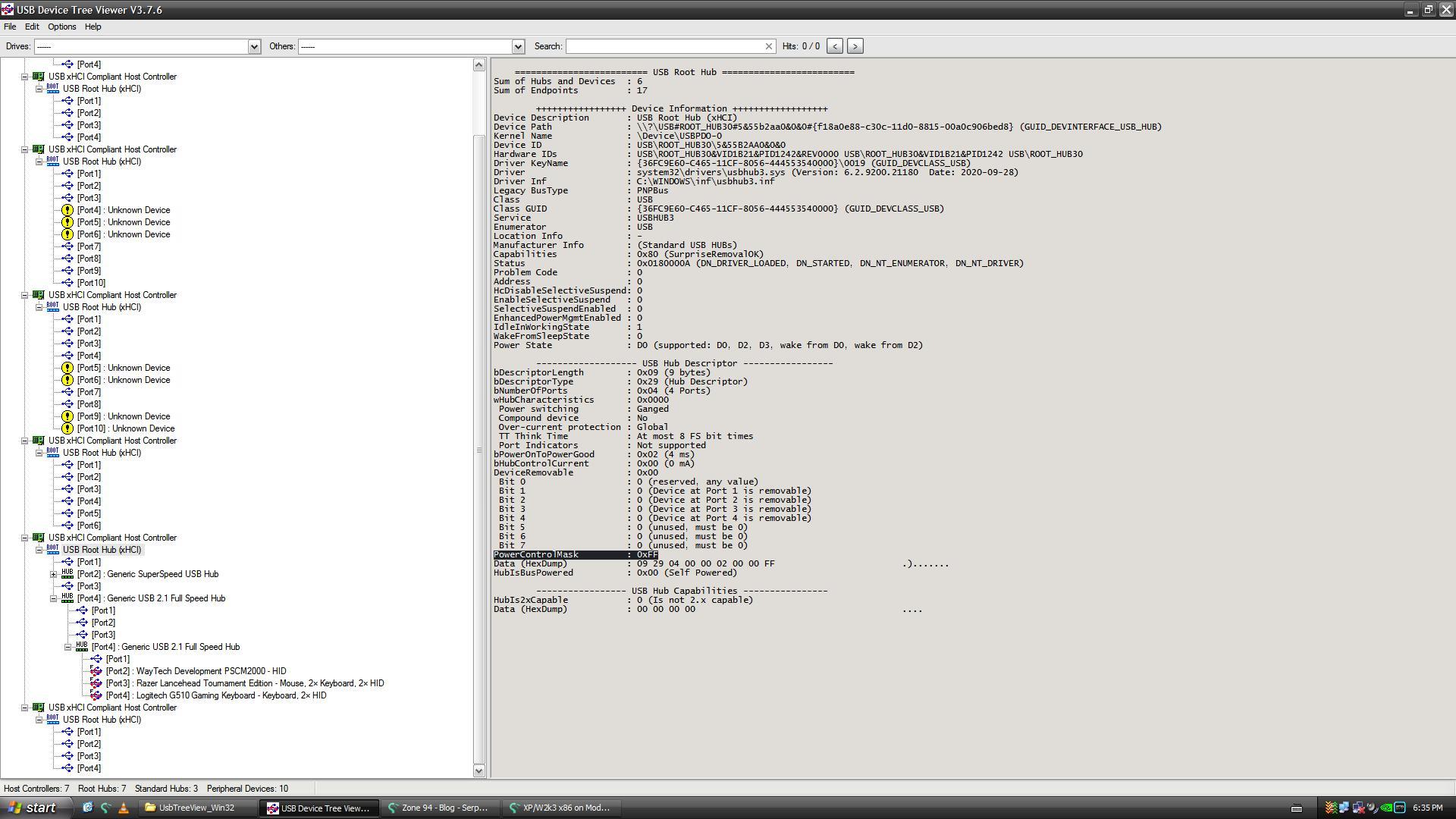
PortPwrCtrlMask when working

-
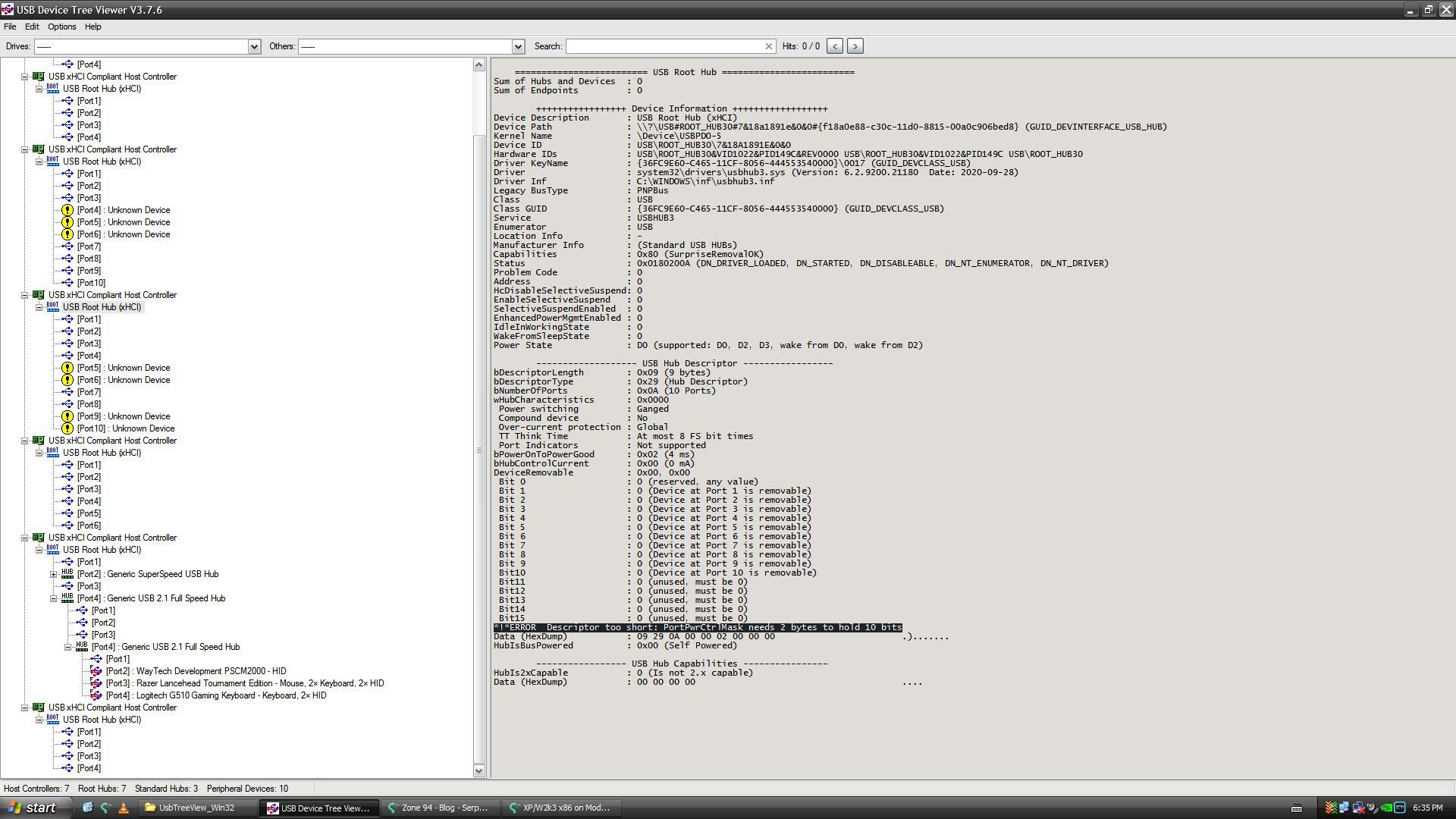
*!*ERROR Descriptor too short: PortPwrCtrlMask needs 2 bytes to hold 10 bits
could this have something to do with my USB problem?
-
Can you send me a copy of your ACPI tables?
-
I'm going to give @skulltrail's acpi.sys a try and report back to you. The x86 version was buggy though and I doubt the x64 version will be any better.
On the plus side, source code is available for it so fixing any bugs would be easier than hacking at it with assembly.
-
Some further research -
148C controller - works in XP - is device \_SB.PCI0.D0B8.XHC0 in ACPI table if win10 is correct.
149C controller - does not work in XP - is device \_SB.S0D2.D2A0.BYUP.BYD8.XHC1 in ACPI table if win10 is correct.
Now I just need to figure out what exactly in the table I need to change. ^device tree too long?
I've attached my ACPI tables for anyone curious.
-
A disable and re-enable of Root Hub (xHCI) doesn't fix it, only doing that to the controller works.
-
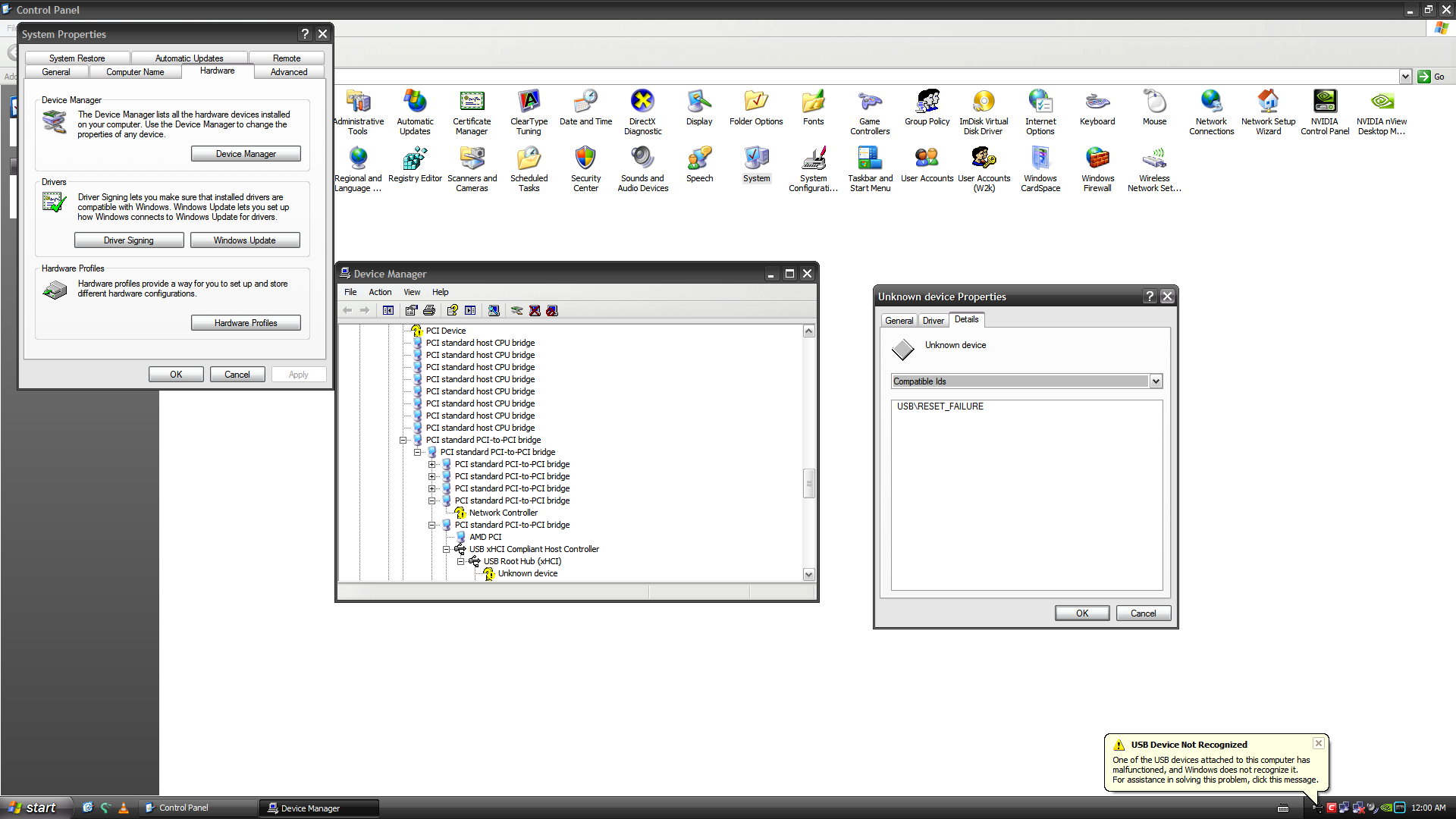
Thats the device ID I get for devices connected to the 149C controller.
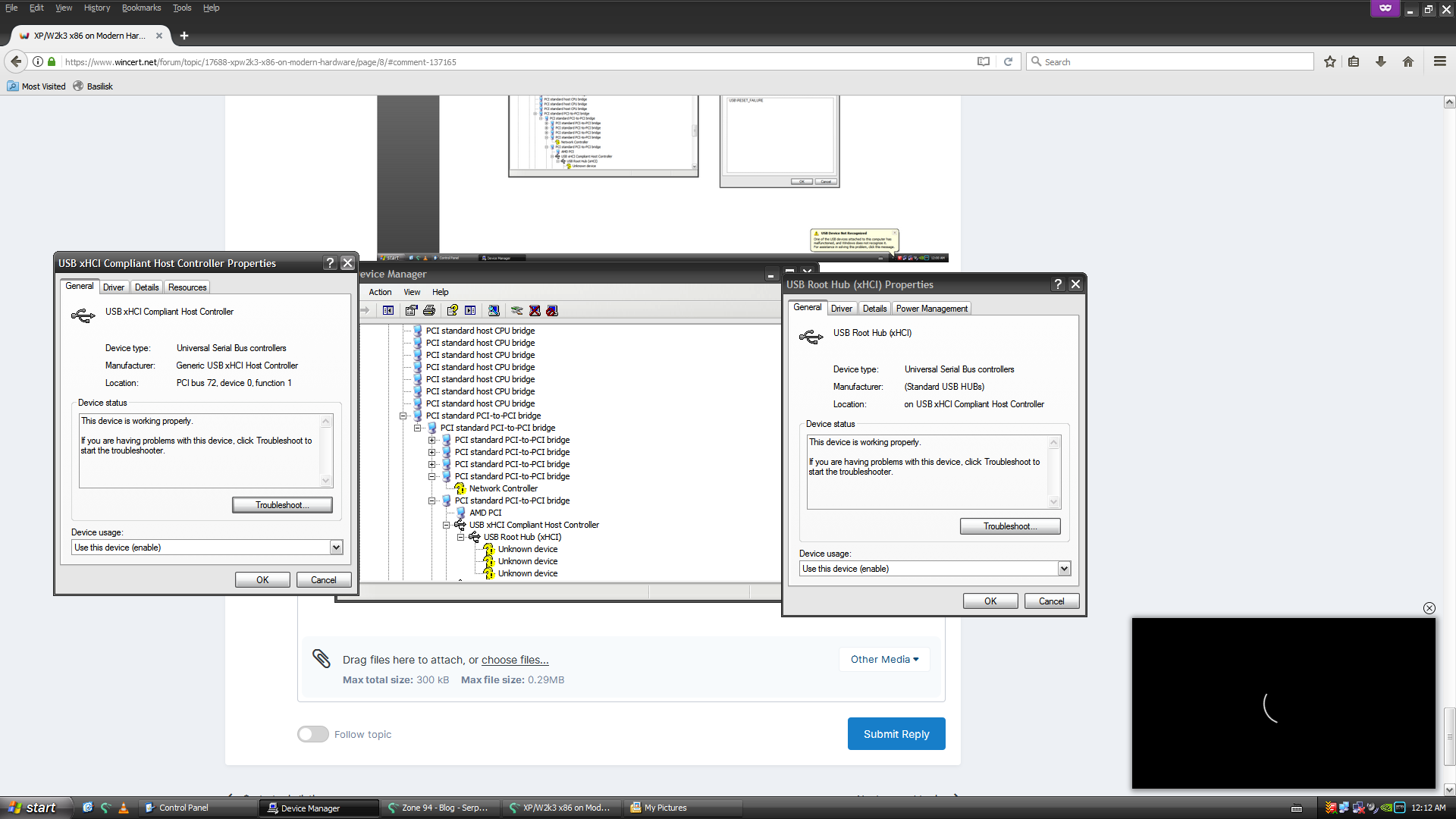
note that the host controller and root hub (xHCI) report no problems and say "This device is working properly." even though it's not.

XP/W2k3 x86 on Modern Hardware
in Microsoft Windows XP
Posted
@Andalu
Are there any USB options in your BIOS?
The reset/power buttons should still work, that's very strange.
Does it power off if you hold down the power button for 5 seconds?
I've never had a scenario where the reboot and power buttons stopped working altogether, even on a BSOD.