Jump to content
View in the app

A better way to browse. Learn more.

WinCert.net Forums

A full-screen app on your home screen with push notifications, badges and more.

To install this app on iOS and iPadOS
  1. Tap the Share icon in Safari
  2. Scroll the menu and tap Add to Home Screen.
  3. Tap Add in the top-right corner.
To install this app on Android
  1. Tap the 3-dot menu (⋮) in the top-right corner of the browser.
  2. Tap Add to Home screen or Install app.
  3. Confirm by tapping Install.

Arif Ali Saiyed

Members
  • Joined

  • Last visited

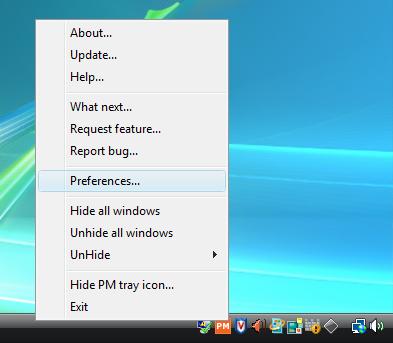
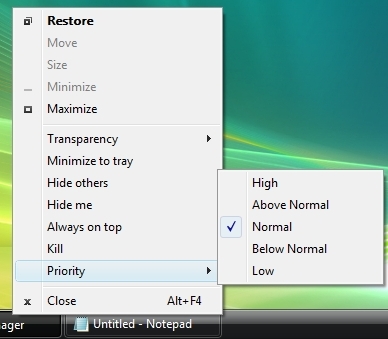
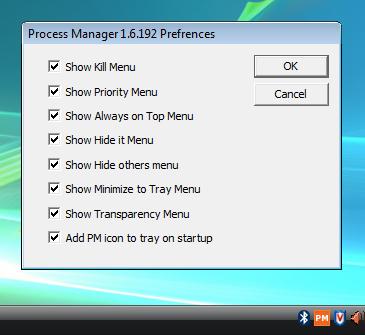
  1. PMW is a tiny utility which takes very less memory in your RAM (around 1 MB ) and let you do too many things very quickly. It adds options like Kill, Always on Top etc in SystemMenu of all applications. To know more about PMW 1.6.192 visit These two link : Product site : http://processpriority.wiki.sourceforge.net/ Author's blog : http://arif-ali-saiyed.blogspot.com/ It's free and open source. Hope you all will like it.
Configure browser push notifications

Chrome (Android)
  1. Tap the lock icon next to the address bar.
  2. Tap Permissions → Notifications.
  3. Adjust your preference.
Chrome (Desktop)
  1. Click the padlock icon in the address bar.
  2. Select Site settings.
  3. Find Notifications and adjust your preference.