Search the Community
Showing results for tags 'exception'.
Found 1 result
-
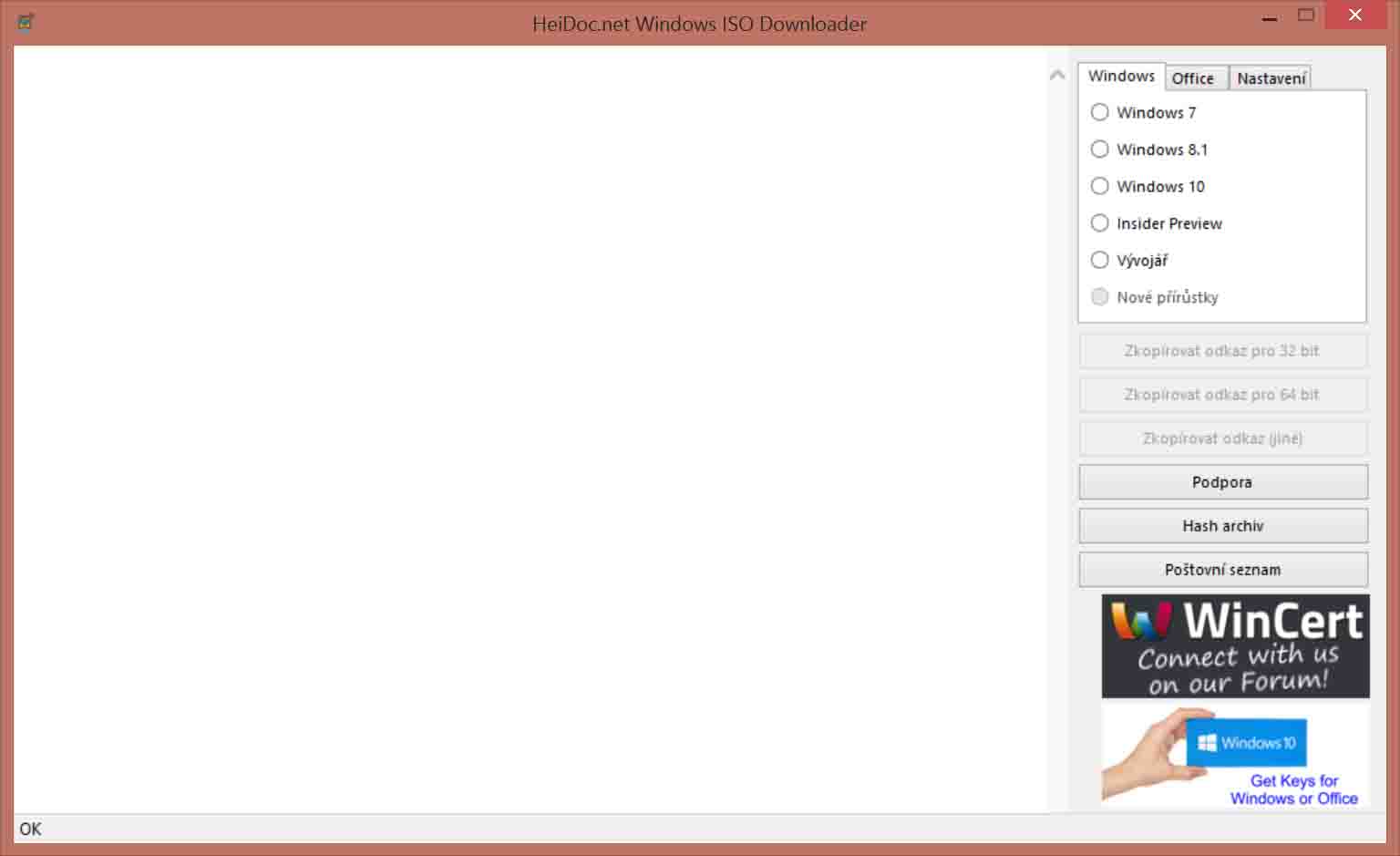
 Hello, everytime I start or close ISO Downloader v5-23 on Windows 8-1, I get DotNET v4-7-1 Exception. Also main program window is drawn incompletelly. v5-21 and older work fine. I didn't found v5-22. Images are attached below. Exception: Informace o vyvolání ladění JIT najdete na konci této zprávy, nikoli v tomto dialogovém okně. ************** Text výjimky ************** System.IO.FileNotFoundException: Nelze načíst soubor nebo sestavení PresentationFramework, Version=4.0.0.0, Culture=neutral, PublicKeyToken=31bf3856ad364e35 nebo jeden z jejich závislých prvků. Systém nemůže nalézt uvedený soubor. Název souboru: PresentationFramework, Version=4.0.0.0, Culture=neutral, PublicKeyToken=31bf3856ad364e35 ---> System.IO.FileNotFoundException: Nelze načíst soubor nebo sestavení PresentationFramework, Version=3.0.0.0, Culture=neutral, PublicKeyToken=31bf3856ad364e35 nebo jeden z jejich závislých prvků. Systém nemůže nalézt uvedený soubor. Název souboru: PresentationFramework, Version=3.0.0.0, Culture=neutral, PublicKeyToken=31bf3856ad364e35 WRN: Protokolování vazeb sestavení je VYPNUTO. Chcete-li povolit protokolování chyb vazeb sestavení, nastavte hodnotu registru [HKLM\Software\Microsoft\Fusion!EnableLog] (DWORD) na hodnotu 1. Poznámka: Protokolování chyb vazeb sestavení ovlivňuje výkon systému. Chcete-li tuto funkci vypnout, odeberte z registru hodnotu [HKLM\Software\Microsoft\Fusion!EnableLog]. v lum_sdk_int.api.set_choice(Int32 value) v lum_sdk.api.clear_choice() v Windows_ISO_Downloader.Form1.Form1_Load(Object sender, EventArgs e) v System.EventHandler.Invoke(Object sender, EventArgs e) v System.Windows.Forms.Form.OnLoad(EventArgs e) v System.Windows.Forms.Form.OnCreateControl() v System.Windows.Forms.Control.CreateControl(Boolean fIgnoreVisible) v System.Windows.Forms.Control.CreateControl() v System.Windows.Forms.Control.WmShowWindow(Message& m) v System.Windows.Forms.Control.WndProc(Message& m) v System.Windows.Forms.ScrollableControl.WndProc(Message& m) v System.Windows.Forms.Form.WmShowWindow(Message& m) v System.Windows.Forms.Form.WndProc(Message& m) v System.Windows.Forms.Control.ControlNativeWindow.OnMessage(Message& m) v System.Windows.Forms.Control.ControlNativeWindow.WndProc(Message& m) v System.Windows.Forms.NativeWindow.Callback(IntPtr hWnd, Int32 msg, IntPtr wparam, IntPtr lparam) ************** Načtená sestavení ************** mscorlib Verze sestavení: 4.0.0.0 Verze Win32: 4.7.2558.0 built by: NET471REL1 Základ kódu (CodeBase): file:///C:/Windows/Microsoft.NET/Framework/v4.0.30319/mscorlib.dll ---------------------------------------- Windows ISO Downloader Verze sestavení: 5.2.3.0 Verze Win32: 5.2.3.0 Základ kódu (CodeBase): file:///C:/Program%20Files/Windows%20ISO%20Downloader/WindowsISODownloader.exe ---------------------------------------- Microsoft.VisualBasic Verze sestavení: 10.0.0.0 Verze Win32: 14.7.2558.0 built by: NET471REL1 Základ kódu (CodeBase): file:///C:/Windows/Microsoft.Net/assembly/GAC_MSIL/Microsoft.VisualBasic/v4.0_10.0.0.0__b03f5f7f11d50a3a/Microsoft.VisualBasic.dll ---------------------------------------- System.Windows.Forms Verze sestavení: 4.0.0.0 Verze Win32: 4.7.2558.0 built by: NET471REL1 Základ kódu (CodeBase): file:///C:/Windows/Microsoft.Net/assembly/GAC_MSIL/System.Windows.Forms/v4.0_4.0.0.0__b77a5c561934e089/System.Windows.Forms.dll ---------------------------------------- System Verze sestavení: 4.0.0.0 Verze Win32: 4.7.2558.0 built by: NET471REL1 Základ kódu (CodeBase): file:///C:/Windows/Microsoft.Net/assembly/GAC_MSIL/System/v4.0_4.0.0.0__b77a5c561934e089/System.dll ---------------------------------------- System.Drawing Verze sestavení: 4.0.0.0 Verze Win32: 4.7.2558.0 built by: NET471REL1 Základ kódu (CodeBase): file:///C:/Windows/Microsoft.Net/assembly/GAC_MSIL/System.Drawing/v4.0_4.0.0.0__b03f5f7f11d50a3a/System.Drawing.dll ---------------------------------------- System.Configuration Verze sestavení: 4.0.0.0 Verze Win32: 4.7.2558.0 built by: NET471REL1 Základ kódu (CodeBase): file:///C:/Windows/Microsoft.Net/assembly/GAC_MSIL/System.Configuration/v4.0_4.0.0.0__b03f5f7f11d50a3a/System.Configuration.dll ---------------------------------------- System.Core Verze sestavení: 4.0.0.0 Verze Win32: 4.7.2558.0 built by: NET471REL1 Základ kódu (CodeBase): file:///C:/Windows/Microsoft.Net/assembly/GAC_MSIL/System.Core/v4.0_4.0.0.0__b77a5c561934e089/System.Core.dll ---------------------------------------- System.Xml Verze sestavení: 4.0.0.0 Verze Win32: 4.7.2558.0 built by: NET471REL1 Základ kódu (CodeBase): file:///C:/Windows/Microsoft.Net/assembly/GAC_MSIL/System.Xml/v4.0_4.0.0.0__b77a5c561934e089/System.Xml.dll ---------------------------------------- System.Runtime.Remoting Verze sestavení: 4.0.0.0 Verze Win32: 4.7.2558.0 built by: NET471REL1 Základ kódu (CodeBase): file:///C:/Windows/Microsoft.Net/assembly/GAC_MSIL/System.Runtime.Remoting/v4.0_4.0.0.0__b77a5c561934e089/System.Runtime.Remoting.dll ---------------------------------------- mscorlib.resources Verze sestavení: 4.0.0.0 Verze Win32: 4.7.2558.0 built by: NET471REL1 Základ kódu (CodeBase): file:///C:/Windows/Microsoft.Net/assembly/GAC_MSIL/mscorlib.resources/v4.0_4.0.0.0_cs_b77a5c561934e089/mscorlib.resources.dll ---------------------------------------- lum_sdk Verze sestavení: 1.68.308.0 Verze Win32: 5.2.3.0 Základ kódu (CodeBase): file:///C:/Program%20Files/Windows%20ISO%20Downloader/WindowsISODownloader.exe ---------------------------------------- lum_sdk_int Verze sestavení: 1.68.308.0 Verze Win32: 5.2.3.0 Základ kódu (CodeBase): file:///C:/Program%20Files/Windows%20ISO%20Downloader/WindowsISODownloader.exe ---------------------------------------- util Verze sestavení: 1.68.308.0 Verze Win32: 5.2.3.0 Základ kódu (CodeBase): file:///C:/Program%20Files/Windows%20ISO%20Downloader/WindowsISODownloader.exe ---------------------------------------- System.Windows.Forms.resources Verze sestavení: 4.0.0.0 Verze Win32: 4.7.2558.0 built by: NET471REL1 Základ kódu (CodeBase): file:///C:/Windows/Microsoft.Net/assembly/GAC_MSIL/System.Windows.Forms.resources/v4.0_4.0.0.0_cs_b77a5c561934e089/System.Windows.Forms.resources.dll ---------------------------------------- ************** Ladění JIT ************** Aby bylo povoleno ladění JIT, musí konfigurační soubor pro tuto aplikaci nebo počítač (machine.config) mít v oddílu system.windows.forms nastavenou hodnotu njitDebugging. Aplikace rovněž musí být kompilována s povoleným laděním. Příklad: <configuration> <system.windows.forms jitDebugging="true" /> </configuration> Je-li ladění JIT povoleno, budou všechny neošetřené výjimky odeslány ladicímu programu JIT, který je registrován v počítači, a nebudou zpracovány tímto dialogovým oknem.