_14e30a.png)
_8126ce.png)


NIM
Administrator
-
Joined
-
Last visited
Everything posted by NIM
-
Since we're discussing the page file configuration, I have a question. We have 3 new servers which have 24 gigs of RAM and what would be your recommedation for page file in this scenario. Here's what we did: We created one partition just for a page file so we can use page file on two partitions: C: and E: in this case. 1 gig initial and 3 gigs maximum for both partitions. In this case Windows will use the page file for less active partition which will be E:, and if we'll have BSOD it will be still dumped on C:.. Do you have better idea for this Cluberti? THx
-
For local network full desktop access you can use RealVNC. It is also free for all systems except Vista.. http://www.realvnc.com/products/download.html
-
There's a difference mate. Your internet connection is probably around 512KB Up and that's why you get around 47Kilobytes while uploading to internet. In local LAN you probably have router and network cards that supports speeds up to 100Mbit, and that's why you have much higher upload speeds.. I have the same situation here
-
More info LZR, what are you uploading, where, what transfering etc?
-
I'd gladly help, but I'm afraid I'm unable to since I never saw that router :confused02:
-
Hi guys, I need someone to make icons for our new skin that will be used along with the new frontpage look. So, can someone make icons for "Blue and Improved skin" which you can select from the dropdown list at the bottom of any forum page.. Please PM me if someone is willing to help.. Thx
-
Hmm, it would be easier to help you if you have a Linksys, then I could navigate you step by step. Unfortunately since I never so this router admin panel I can't help you with it.. Have you got any manuals with it? You can also check THIS page to get some useful info about that router.
-
I have in plan to write one bigger post on Wireless Security, but until then here are some tips on what I would do with this situation: I don't know how you've decided for this particular router (http://reviews.cnet.com/routers/trendnet-tew-432brp-wireless/4505-3319_7-31515168.html), I'd go with Linksys since I have it and it's one of the best (http://reviews.cnet.com/routers/wireless-g-broadband-router/4505-3319_7-20796906.html?tag=prod.txt.4) Setup your router to connect to internet on demand. Enable router firewall if available. Enable wireless connection. Set up DHCP so clients can get IP addresses from your router. Filter wireless connections with MAC Address filter on the router. Enable WEP encryption at least, WPA would be recommended, since WEP is easy to crack especially if you use linux Set up DHCP so clients can get IP addresses from your router. If you've setup file and printer sharing than this is preety much it. If I can help in any way just yell
-
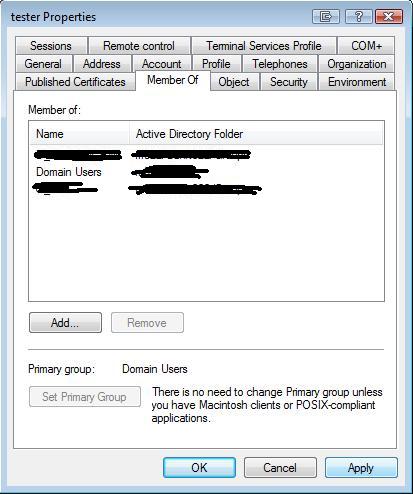
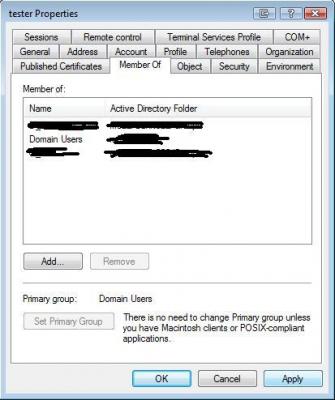
1st Bug: When I add a new group for a domain user in Active Directory I have an option to click apply. But no matter how many times I click apply, the "apply" button won't grey out... 2nd Bug: Ribbons screensaver was buggy without SP1 and still is. It's crashing on several PC's that I've tried.. 3rd Bug: Folder View in Windows Explorer couldn't be saved no matter what I do..
-
Rick, upload them to Zxian.org. You have the connection info in our private section.. Thx
-
Error refers to a difference between actual behavior or measurement and the norms or expectations for the behavior or measurement. The concrete meaning of the Latin word error means "wandering" or "straying", although the metaphorical meaning "mistake, misapprehension" is more common. By using "error" word you might consider using explanation of which type of error are you talking about?
-
I'm sorry to hear that mate and I really don't understand how did you left locked out of the system because of creating a new profile.. Either you don't have a password or not, you should have been able to login with new created profile account. I'm glad you fixed this with restore but your system is acting weird mate :confused02:
-
Can you please create a new profile and check how it goes with it. You may have a profile or even a disk corruption since you have a bunch of ntuser.dat files..
-
Don't thank me since we haven't solved your problem yet Ok, as far as I know these settings should be saved in your profile. So, try to create a new profile and test with it. If that solves your problem there's a chance to fix your current profile also.. In your profile folder there should be user.dat file, not sure if that's the correct name but it should be something like that. If you find that extension is .man instead of .dat, change it to .dat. You should also check if you have modify permissions on that file so windows can save changes to your profile..
-
I've used this application before and I don't trust it...It says it's removing registry keys that don't exist at all. Or it says it completely removes an application, but actually it is still there
-
I've applied, don't know when I'll have time for this, but I've applied anyway :icon_cool:
-
I'm using Windows Vista with it's Windows Defender and Firewall enabled. I've also have enabled hardware firewall on my router. Besides that I'm using NOD32 for protection and never had any issues. On XP I was using the same setup as on Vista
-
Hi Dave, When you work with the Microsoft Windows operating system, you may experience the problem of unexpectedly changed icons. This is the annoyance of finding the icons on your desktop ngrouped or moved around in some unwanted way. This can happen after: - a system or program lockup or crash. - some other person uses your PC and fiddles with your settings - like your kids, for example. - change of your screen resolution (800 x 600 to 1024 x 768, etc.) You may want to try this. Its an experiment at this point, since I'm not experiencing the problem, but no one has found a reliable, workable solution yet. Click Start, Run and enter REGEDIT. Go to: HKEY_CURRENT_USER\Software\Microsoft\Windows\CurrentVersion\Policies\Explorer Look for a value called NoSaveSettings in the right pane. If it exists, its value is probably 1. Double click NoSaveSettings and set the value to 0. If it doesn't exist, right click in the right pane and select New, DWord value and name it NoSaveSettings. The default value for this will be 0. Log off/log on, or reboot if necessary. If editing the Registry manually isn't to your liking, you can run script I've attached for you in this post. Double-click the icons.vbs file. You will be notified when the repairs have been completed. You'll need to log off/log on for the changes to take effect. icons.vbs Please post your results..
-
Welcome to the forums Audigy. :welcome:
-
Set of really useful tools, especially PSExec
-
That was done in the past by cygnus. Don't know if it still exists http://www.wincert.net/forum/index.php?showtopic=1855
-
This movie should be great. I laughed at this trailer
-
Very nice tut mate! :thumbsup_anim:If you do this then Windows won't be able to create a dump file in the event of the blue screen. Am I right?