_14e30a.png)
_8126ce.png)

mooms
Global Mods
-
Joined
-
Last visited
Everything posted by mooms
-
It doesn't make much sense, on a virtual machine the Dell softwares and drivers won't work. You can install Dell softwares and drivers from the support page of your device (use the support tag), no need to use a Dell media.
-
Why you don't use an iso from Microsoft ?
-
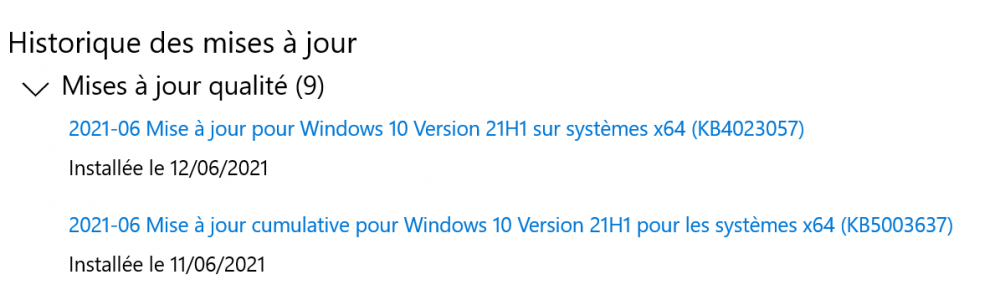
Maker mis à jour en version 3.9. URL de téléchargement du setup slim mise à jour. CCleanerDU.dll (sert pour la fonction de recherche des drivers qui n'a rien à faire dans CCleaner) est supprimé en même temps que CCUpdate.exe. Notez que si le téléchargement échoue (si l'URL de téléchargement change à nouveau), il reste possible d'utiliser le mode offline.You can use the generic iso, then download the drivers on the support page of your model (or elsewhere, you can use https://www.driverscloud.com/ for example). Why use Windows 7 though ?3.3.1 (2021-07-14) fix rotation in DjVu documents3.3 (2021-07-06) added support for adding / removing / editing annotations in PDF files. Read the tutorial new toolbar changed toolbar to scale with DPI by using new, vector icons added rotate left / right to the toolbar new toolbar: added ability to hide scrollbar (more screen space for the document). Use right-click context menu. add -paperkind=${num} printing option (checkin) Minor improvements and bug-fixes:: advanced setting to change font size in bookmarks / favorites tree view e.g. TreeFontSize = 12 support newer versions of ghostscript (≥ 9.54) for opening .ps files support jpeg-xr images in .xps files restore tooltips (regression in 3.2) update mupdf to latest version make silent installation always silent don't crash when attempting to zoom in on home page don't show "manga" view menu item for documents that are not comic books allow opening fb2.zip files (#1657) restore ability to save embedded files (fixes #1557) Alt + Space opens a sys menuHi Shinegumi, Is this a cracked version ? Or is this a typo ?Version 21.06.22 AppNetworkCounter v1.46 CrystalDiskInfo 8.12.2 CrystalDiskMark 8.0.2 Don't Sleep 8.32 GPU-Z v2.40.0 HWiNFO64 v7.04 LiveTcpUdpWatch v1.36 Process Explorer v16.42 Process Monitor v3.82 ScreenToGif v2.32 TaskSchedulerView v1.68 UninstallView v1.42 WizTree 4.10Good. You're welcome.You can discard the zip, it was just created to be used wit nLite, but the exe inside is the same as the one created outside (you can compare the files). If you use wintoolkit runonce as advised, the exe will be copied in the wim file by Wintoolkit, so you don't need it anywhere else. I don't use setupcomplete so I can't provide any support on it.Très franchement avec le rythme de sortie depuis Windows 10, faire des iso à jour n'a plus trop d'intérêt, un script qui va installer automatiquement quelques softs et appliquer des tweaks est bien suffisant, et bien plus simple à maintenir.I don't even use it anymore, but when you are in the AIO integrator, it's the silent install + SFX tab. You can add any executable (msi, exe) and updates with any switches you want https://www.wincert.net/forum/topic/12103-14-janvier-2020-update-list-gdr-pour-windows-7-sp1-x86x64-fr-en-de-es-it/Ce mois-ci j'ai eu ça:
 From the command line, or create a shortcut and add the -ai switch. No sorry, I can't share it as it's registered with a key. I don't use any script for that, with Windows 7 I have used WinToolkit Runonce.SFX_WinRAR_x64_6.01-nl.exe -ai is correct. Do you have rebooted after ? the SFX should run on next reboot. If you launch it manually with -ai switch, does it run on next reboot ?Do you have tried what I have said in the previous post ?I've installed SFX_WinRAR_x64_6.01-fr.exe in a virtual machine, no issue and the classic theme is active on first launch: As I said, your issue is likely caused because the environment for the user is not yet created when the SFX is executed. Workaround: In WinRAR_SFX_Maker.cmd change set addon=0 to set addon=1 Run the maker as usual with your themes put in Themes folder. Run the created SFX with the -ai switch, that will copy the setup in %ALLUSERSPROFILE% then launch it on the next reboot, when the first user is already created.😅Version 21.05.17 AppNetworkCounter v1.45 Autoruns v13.100 CPU-Z 1.96.1 CurrPorts v2.65 Don't Sleep 8.18 GPU-Z v2.39.0 HWMonitor 1.44 PingInfoView v2.16 Process Monitor v3.70 ReNamer 7.3.0 Rufus 3.14 ScreenToGif v2.30 WifiHistoryView v1.57 WizTree 3.41Miroirs: 32 bits/x86: https://telecharger.malekal.com/download/windows-7-edition-integrale-x86/ https://www.sosvirus.net/telecharger/windows-7-integrale-32-bit-x86/ https://community.lecrabeinfo.net/download/file/95-windows-7-édition-intégrale-sp1-x86/ https://avicente91.wixsite.com/windows10/single-post/2016/05/24/fichiers-iso-des-versions-françaises-de-windows-7-1 https://www.hebergementwebs.com/iso-windows/telecharger-les-iso-de-windows-7 64 bits/x86-64: https://telecharger.malekal.com/download/windows-7-edition-integrale-x64/ https://forum.pcastuces.com/telecharger_les_fichiers_iso_de_windows_7_avec_le_sp1_integre-f12s522.htm?page=2 https://lecrabeinfo.net/telecharger-iso-windows-7.html https://www.hebergementwebs.com/iso-windows/telecharger-les-iso-de-windows-7You should PM an admin.Version 21.04.14 AppCompatibilityView v1.06 AppNetworkCounter v1.42 CrystalDiskInfo 8.12.0 Don't Sleep 8.11 GPU-Z v2.38.0 HWiNFO64 v7.02 LiveTcpUdpWatch v1.35 PingInfoView v2.15 QuickSetDNS v1.31 + trad. fr TaskSchedulerView v1.67 UninstallView v1.41 WizTree 3.38Indeed, I think your ISO is corrupted, as I have different hashes: Nom: Win10_20H2_v2_French_x64.iso CRC-32: d7db0bbb MD5: 4e8c130acbfcf51f5a139d9999310788 SHA-1: 0e02044a25f830ef5f1de335dfe16370b000d12f SHA-256: 768638760180cac5a38bbf91638ad58479ffce0fd310abe3e428b92d0ecc715c SHA-512: d43716d288df8ae80fc6a1cf809ade36ef8b3e89f447d7a6b7769a0cac4dc8d5fc9cf4daa1120f6e8ca77fde930e9de79099e771ab3e2536f42d286fe3f53d8e Which correspond to this ISO: https://www.heidoc.net/php/myvsdump_details.php?id=p6852f95599ax64lfr You should download it again. If you have a slow connection, you should use a download manager, like Jdownloader2.