
_14e30a.png)
_8126ce.png)

geodasoft
-
Joined
-
Last visited
Posts posted by geodasoft
-
-
-
This new version number of 7.8.2 will retain the “Free Uyghur edition” label. This is not only for the oppressed Uyghur people in China, but also for anyone who does not wish to be silenced by China. The Free Uyghur edition will always be available on the Internet for download.
I refuse to be silenced.
-
-
AIMP v4.60, build 2160 (24.11.2019)
Common: localizations has been updated
Plugins: API has been extended
Player: the /VOLUME command line switch has been added
Advanced search: list of selected to search playlists are now saved between work sessions
Advanced search: dialog's UI has been updated
Fixed: general - you cannot delete file physically if it next in playback queue and the "pre-load next track while current is playing" is switched on
Fixed: skin engine - music library window displays incorrectly in some skins if app is in night mode
Fixed: tag editor - ID3v2 - parser ignores the TMOO field
Fixed: plugins - MyClouds - files whose path is more than 260 characters cannot be played
minor issues were fixed
-
-
Changes in Daum PotPlayer 1.7.20977.0 (2019-10-31):
- Added the ability to hide subtitles unless it’s your preferred language
- Added the ability to display chapters in playback information
- Fixed an error in certain situations
- Fixed an issue that took a long time to read text files
- Fixed an issue that cannot delete related files when playing seamlessly
- Fixed an issue where opening address was not parsed
- Fixed an issue where strange colors appeared in certain MOV files
- Fixed an issue where Bluesky Frame Rate Converter did not work
- Fixed an error when certain TS playbacks were finished
-
-
-
AIMP v4.60, build 2156 (21.10.2019)
Smart-playlists: added an ability to sort files by template even if synchronization with data source is switched on
UI: now you not need to hold Ctrl key to switch between tabs playlists via mouse wheel
Fixed: general - an "Access Violation" error occurs on attempt to invoke settings dialog (regression)
Fixed: skin engine - minor issues has been fixed
minor issues were fixed
-
Java SE Runtime Environment 12.0.2 (JDK 12u02)[Silent- x64] 162 Mb
-
▬▬ஜ۩۞۩ஜ▬▬** What´S NeW / UpdateS / ChangE LoG **▬▬ஜ۩۞۩ஜ▬▬
► Microsoft Visual C++ 2019 Runtimes 14.24.28127.4(32bit/64 bit/arm64 bit) -
Changes in 7.8.0:
Upgrade Scintilla from 4.1.4 to 4.2.0
Fix non Unicode encoding problem in non-Western language(Chinese or Turkish).
Add “No to All” and “Yes to All” options in Save dialog.
Add the command line argument “-openFoldersAsWorkspace” to open folders in “folder as workspace” panel. Example: notepad++ -openFoldersAsWorkspace c:\src\myProj01 c:\src\myProj02
Enhance plugin system: allow any plugin to load private DLL files from the plugin folder.
Fix File-Rename failing when new name is on a different drive.
Make “Clear all marks”, “Inverse Bookmark”, “Remove Consecutive Duplicate Lines” & “Find All Current Document” to be macro recordable.
Make “Command Argument Help” MessageBox modal.
Fix Folder as Workspace crash and “queue overflow” issues.
Make Combobox font monospace in Find dialog.
Fix folding in user-defined languages for non-windows line endings.
Fix crash of Folder as Workspace when too many directory changes happen.
Fix ‘-nosession’ overwrites config.xml issue.
Fix the crash due to NPPM_DESTROYSCINTILLAHANDLE message.
Improve GUI in Find dialog for Find Previous & Find Next buttons.
Fix Sort Line as Integer regression.
Add more OS information to debug info.
Fix tab dragging issues under WINE and ReactOS.
Fix indent indicators continue to following code blocks for Python.
Fix Python folding collapse issue.
Fix crash when sorting “out of range” columns.
Fix find 2 times for the same occurrence in both original and cloned documents issue.
Fix command line issues where filenames have multiple white spaces in them.
Fix Document Peeker constantly changing focus problem.
Make backward direction checkbox be also on Find dialog’s Mark tab.
Add 2 new columns for HTML Code in the Character Panel.
Fix “clear all marks in find dialog also removes bookmarks” issue.
Enhance supported language (on function list or auto-completion): LISP, BaanC,(PL/)SQL & COBOL. -
AIMP v4.60, build 2153 (13.10.2019)
Player: the "resume playback position on app startup" option has been added
Common: localizations has been updated
Sound Engine: replaygain - analysis quality has been improved
Fixed: general - an error occurs on app close if the album art / lyrics search task is active in background
Fixed: sound engine - scratches can be heard during volume changes if the "loudness compensated volume control" option is switched on
Fixed: sound engine - CD playback is interrupted in end of track if the "pre-load next track while current is playing" option is switched on
Fixed: player - the MPEG-DASH containers cannot be played when running at Windows 7 (regression)
Fixed: scheduler - does not handle a new tracks adding to the queue/playlist while last track from queue/playlist is playing
Fixed: skin engine - the "duplicates not allowed" error occurs after rename the object via script
Fixed: skin engine - the GrayScale blending mode works incorrectly
Fixed: skin engine - minor issues has been fixed
Fixed: tags - ID3v2 - app processes #0-separator incorrectly while read the ID3v2.3 tag data
Fixed: plugins - GUI API - some object's properties does not react to changes (regression)
-
-
-
-
1.7.20538 2019/09/19
* Changed default HEVC decoder to Built-in FFmpeg HEVC H/W Decoder
+ Added support for YTT subtitles
+ Added support for external chapters files (.chapters.xml)
- Fixed a problem that occurs when playing certain TS files
- Fixed a problem that can't play certain FLAC files
- Fixed a problem that 2nd subtitles were appeared with certain YouTube videos
- Fixed an issue where the title in the Open URL box was not reflected into playlist when attempt to open the related URL
- Fixed a problem where settings are lost when switching between storing modes (INI <-> Registry) -
-
AIMP v4.60, build 2146 (28.08.2019)
Common: localizations have been updated
Plugins: AlbumArt Visualization - now plugin uses for rendering album art in original resolution
Fixed: audio converter - an error occurs when trying to encode file using Monkey's Audio codec
Fixed: smart-playlist - content of smart-playlists based on user rating criteria not updated on change the rating in playlist for multiple files at same time
Fixed: plugins - MyClouds - subfolders are not displayed for OneDrive cloud drive
-
-
Edited by geodasoft
AIMP 5.40.2655 Multilingual[x86/x64][Desatendido]

AIMP es un potente reproductor de audio que le permite escuchar su música favorita con una calidad de sonido excepcional. Su apariencia se asemeja a la de otro reproductor de audio clásica (Winamp), por lo que se acostumbrará a ella muy rápidamente.
AIMP también se puede personalizar con las pieles. También se incluye un ecualizador de 18 bandas , una ventana de visualización para mostrar efectos visuales rítmicas y un editor de lista de reproducción para organizar los archivos de audio. Un bonito efecto de desvanecimiento hace que su lista de canciones se parecen a un bucle sin fin de la música. Por otra parte, una práctica característica de volumen normalizador evita cambios drásticos de volumen entre las pistas.se lanzará en dos ediciones: 32 bits y 64 bits.
Además de reproducir música, AIMP tiene tres utilidades extra. También le permiten grabar cualquier sonido en su ordenador, convertir archivos de audio de un formato a otro y ver o editar las etiquetas.
AIMP se basa en el conocido BAJO motor de audio. Así que es fácil de conectar nuevos plug-ins (de la biblioteca de plugins incluidos en el programa) y ampliar las funcionalidades del jugador.
Reproducción
multiformato : .CDA, .AAC, .AC3, .APE, .DTS, .FLAC, .IT, .MIDI, .MO3, .MOD, .M4A, .M4B,
.MP1, .MP2, .MP3, .MPC, .MTM, .OFR, .OGG, .OPUS, .RMI, .S3M, .SPX, .TAK,
.TTA, .UMX, .WAV, .WMA, .WV, .XM, .DSF, .DFF , MKA, AA3, AT3, OMA, .WebM,
.MPEG-DASH (YouTube)
Nuevos formatos
WavPack
Listas de reproducción
BookmarksSe ha mejorado el sistema de marcadores. Ahora, según las características de la versión móvil de AIMP, los marcadores de pistas se pueden crear y capturar de forma automática:
Si existe un marcador para la pista que inició desde una lista de reproducción, AIMP le preguntará o capturará automáticamente el marcador, de acuerdo con la configuración actual.Undo
Una de las funciones más esperadas es la capacidad de deshacer los últimos cinco cambios de la lista de reproducción. Los comandos "Deshacer" / "Rehacer" se pueden encontrar en el menú misceláneo del panel de la lista de reproducción.
Tenga en cuenta que deshacer requiere más memoria y tiempo de CPU para funcionar, porque la aplicación se ve obligada a realizar una copia de seguridad de los datos modificados. Entonces, si el rendimiento es crítico para usted, simplemente desactive la función deshacer en la configuración de la aplicación (está activada de forma predeterminada).Playback progress
Desde esta versión, AIMP ofrece la posibilidad de ver el progreso de la lista de reproducción y el tiempo de reproducción restante aproximado:
Haga clic en la etiqueta de texto para alternar entre la duración de la lista de reproducción y el tiempo restante.
Nota 1 : la información sobre el tiempo de reproducción restante está disponible en las máscaras adaptadas a AIMP v5.40.
Nota 2: el cálculo se basa en archivos que ya se han reproducido; si usted o algún complemento modifican la cola de reproducción, el tiempo de reproducción restante real puede ser diferente.
Agrupando las listas de reproducciónAgrupar las listas de reproducción es otra característica que vino de la versión de la aplicación móvil.
Los grupos de pestañas de listas de reproducción se contraen o se expanden automáticamente a medida que navegas:
Para agrupar las listas de reproducción, consulte el Administrador de listas de reproducción, seleccione las listas de reproducción requeridas y haga clic en el comando "agrupar":
Administrar listas de reproducción
Las listas de reproducción inactivas ahora están ordenadas por fecha en que se cerró la lista de reproducción. Si cerraste accidentalmente una lista de reproducción, ahora será mucho más fácil encontrarla en la lista cerrada.Además, puede enviar el contenido de las listas de reproducción seleccionadas a otra o a una nueva.
Editor de etiquetasValores alternativos
En el modo de edición por lotes, a menudo sucede que entre los archivos seleccionados hay discrepancias en algunos campos, mientras que el valor correcto está presente en uno de los archivos. Ahora no tiene que escribirlo mediante el teclado; puede seleccionar el valor de la lista desplegable:
La misma función está disponible para las carátulas de los álbumes:
Aquí puede especificar los proveedores que se utilizarán para la búsqueda y seleccionar el resultado más adecuado:
Cada tarjeta en la tabla muestra toda la información requerida sobre la carátula del álbum: resolución, tamaño de archivo y formato.Pequeñas cosas bonitas
El editor “Album Art” tiene etiqueta de texto con información de calidad.
La columna "Artista del álbum" se ha agregado a la tabla principal.
Ahora, al marcar la marca se activará el editor automáticamente.
Multi-Languages Support - English, Português(Brasil), Português(Portugal), Español(España), Español(Latinoamérica), Pусский, Français, Italiano, हिन्दी, Dansk, Ελληνικά, فارسی, عربى, ไทย, Bahasa Indonesia, Türkçe, Tiếng Việt, Deutsch, Malay, 한국의, 日本語, 中文(简体)and 中文(繁體).
Requirements:
Sistemas operativos soportados: Windows 7 / Windows 8 (8.1) / Windows 10 / Windows 11(32 bits, 64 bits).
Minimal screen resolution: 1024x800AIMP v5.40.2655 (13.01.2025)
General: se han actualizado las localizaciones
Conversor de audio: OPUS: la ganancia de reproducción ya no se almacena en el encabezado del archivo, solo en las etiquetas de archivo
Reparado: motor de sonido: las pistas comienzan desde 0:05 cuando se cambia entre pistas en pausa y la eliminación del silencio está activada (regresión 5.40)
Reparado: motor de máscaras: se han solucionado problemas menores
Reparado: lista de reproducción: la lista de reproducción predeterminada aparece en la papelera de reciclaje después de cerrar, aunque la opción de guardar está deshabilitada
Reparado: complementos: programador: la opción "volver a la lista de reproducción anterior" funciona incorrectamente en ciertos casos
Reparado: complementos: WebLyrics: la validación de datos no pasa después de la selección durante el análisis de varias páginas (regresión 5.40)
Reparado: problemas con los informes de fallas entrantes
AIMP 5.40.2655 [Silent][x86/x64] [Multilenguaje] 69.8 Mb
password <: ☛: : 2025
QuoteAIMP Skins-Icons 2025 Windows [x86/x64] 538 Mb.[Multilenguaje]
Quote
-
Changes between 3.0.7.1 and 3.0.8:
----------------------------------

Core:
 * Fix stuttering for low framerate videos

Demux:
 * Fix channel ordering in some MP4 files
 * Fix glitches in TS over HLS
 * Add real probing of HLS streams
 * Fix HLS MIME type fallback

Decoder:
 * Fix WebVTT subtitles rendering

Stream filter:
 * Improve network buffering

Misc:
 * Update Youtube script

Audio Output:
 * macOS/iOS: Fix stuttering or blank audio when starting or seeking when using
   external audio devices (bluetooth for example)
 * macOS: Fix AV synchronization when using external audio devices

Video Output:
 * Direct3D11: Fix hardware acceleration for some AMD drivers

Stream output:
 * Fix transcoding when the decoder does not set the chroma

Security:
 * Fix a buffer overflow in the MKV demuxer (CVE-2019-14970)
 * Fix a read buffer overflow in the avcodec decoder (CVE-2019-13962)
 * Fix a read buffer overflow in the FAAD decoder
 * Fix a read buffer overflow in the OGG demuxer (CVE-2019-14437, CVE-2019-14438)
 * Fix a read buffer overflow in the ASF demuxer (CVE-2019-14776)
 * Fix a use after free in the MKV demuxer (CVE-2019-14777, CVE-2019-14778)
 * Fix a use after free in the ASF demuxer (CVE-2019-14533)
 * Fix a couple of integer underflows in the MP4 demuxer (CVE-2019-13602)
 * Fix a null dereference in the dvdnav demuxer
 * Fix a null dereference in the ASF demuxer (CVE-2019-14534)
 * Fix a null dereference in the AVI demuxer
 * Fix a division by zero in the CAF demuxer (CVE-2019-14498)
 * Fix a division by zero in the ASF demuxer (CVE-2019-14535)

Contribs:
 * Update to a newer libmodplug version (0.8.9.0)
-
-



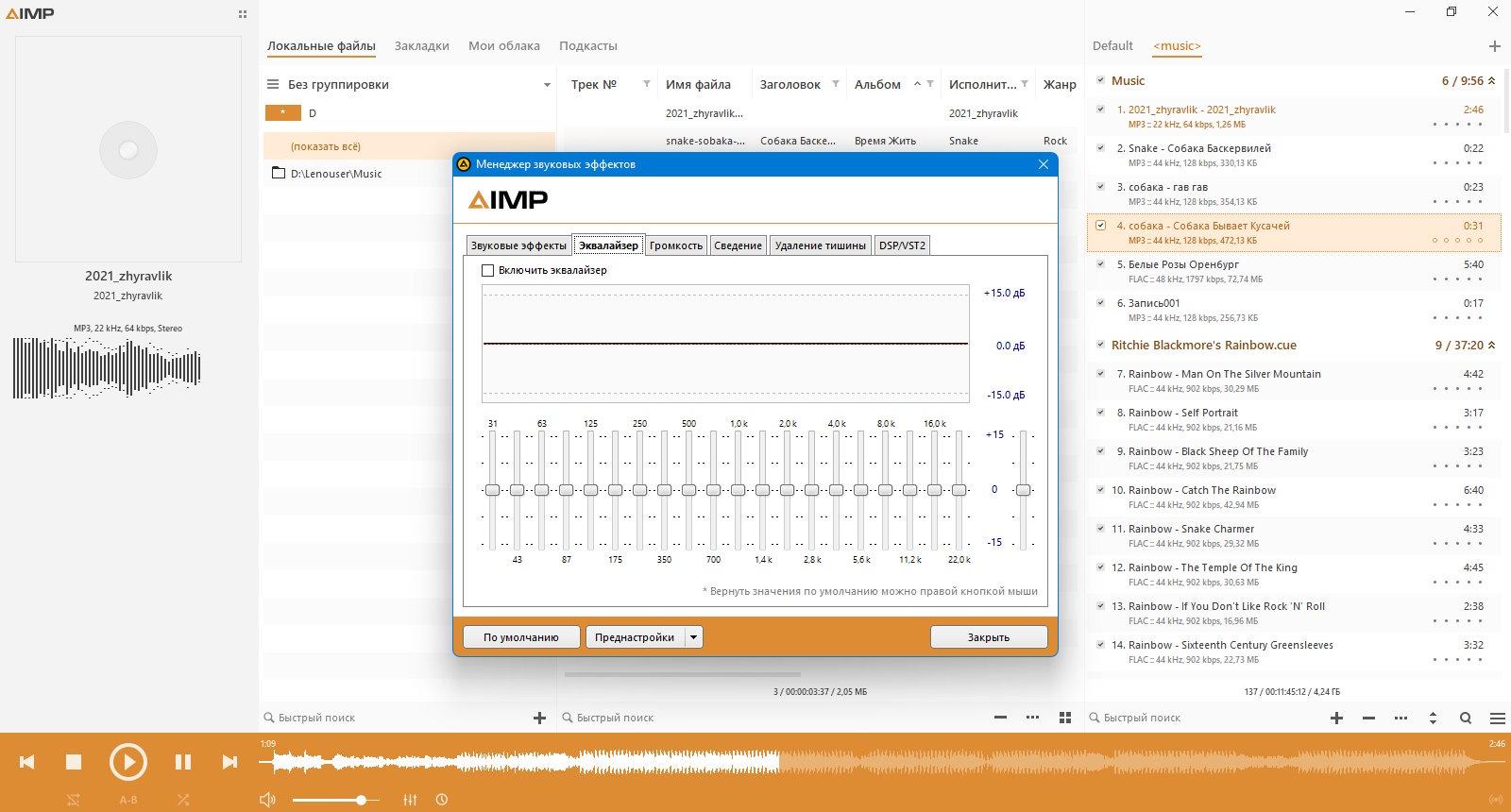
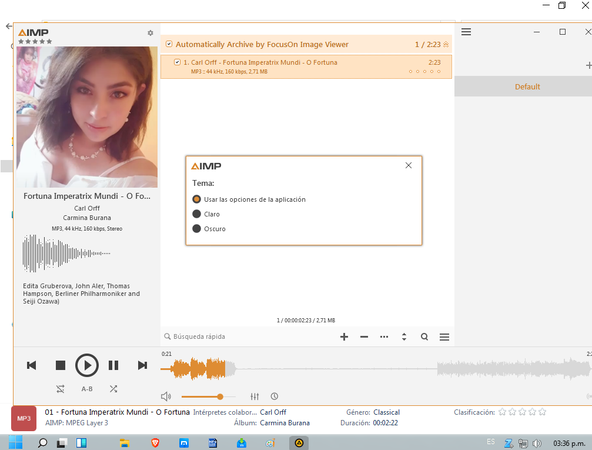
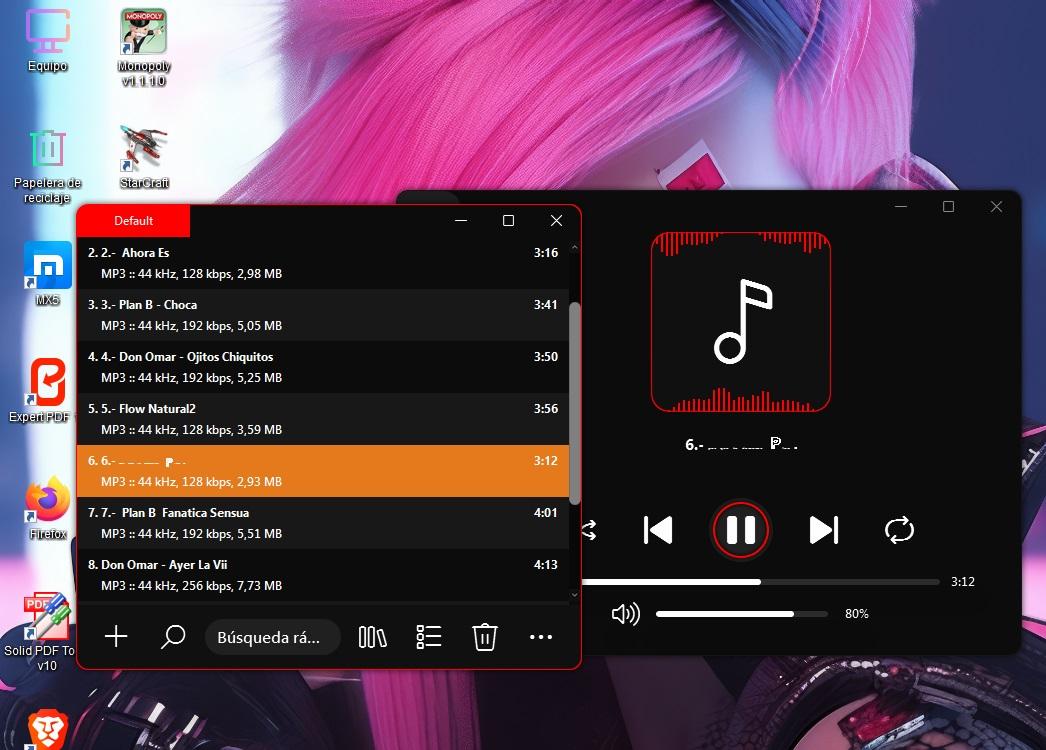


PotPlayer 2600422 (1.7.22859) Estable[x86x64] [Multilingual][Desatendido]
in Addons & Silent Installers
Version History of the PotPlayer ---------------------------------------------------------- [191211] ----------------------------------------------------------
* Changed the PotPlayer version to date
+ Added H/W HDR output function to Built-in D3D11 Renderer
+ Fixed an issue that stopped when exclusive screen output was used with the Built-in D3D11 Renderer
+ Added Kurdish translation
Added the ability to dim the output (dark mode) when using system menu
+ Added the ability to use MPC Video Renderer + Added Yandex subtitle translation - Fixed a problem that played fast when playing certain ASF/WMV files - Fixed an issue where the last item was not cleared when saving the playback skip to an external file - Fixed an issue where the title was not changed when processing ASX playlist - Fixed DPI-Aware v2 action - Fixed an issue where the monitor name didn't appear in full screen settings - Fixed an issue that malfunctioned when cue file was specified in multiple media - Improved 10-bit output processing - Fixed an issue where no subtitles appeared when playing certain dvd ifo files - Fixed an issue that navigated certain MKV files slowly